SimpleShot
Capture any way
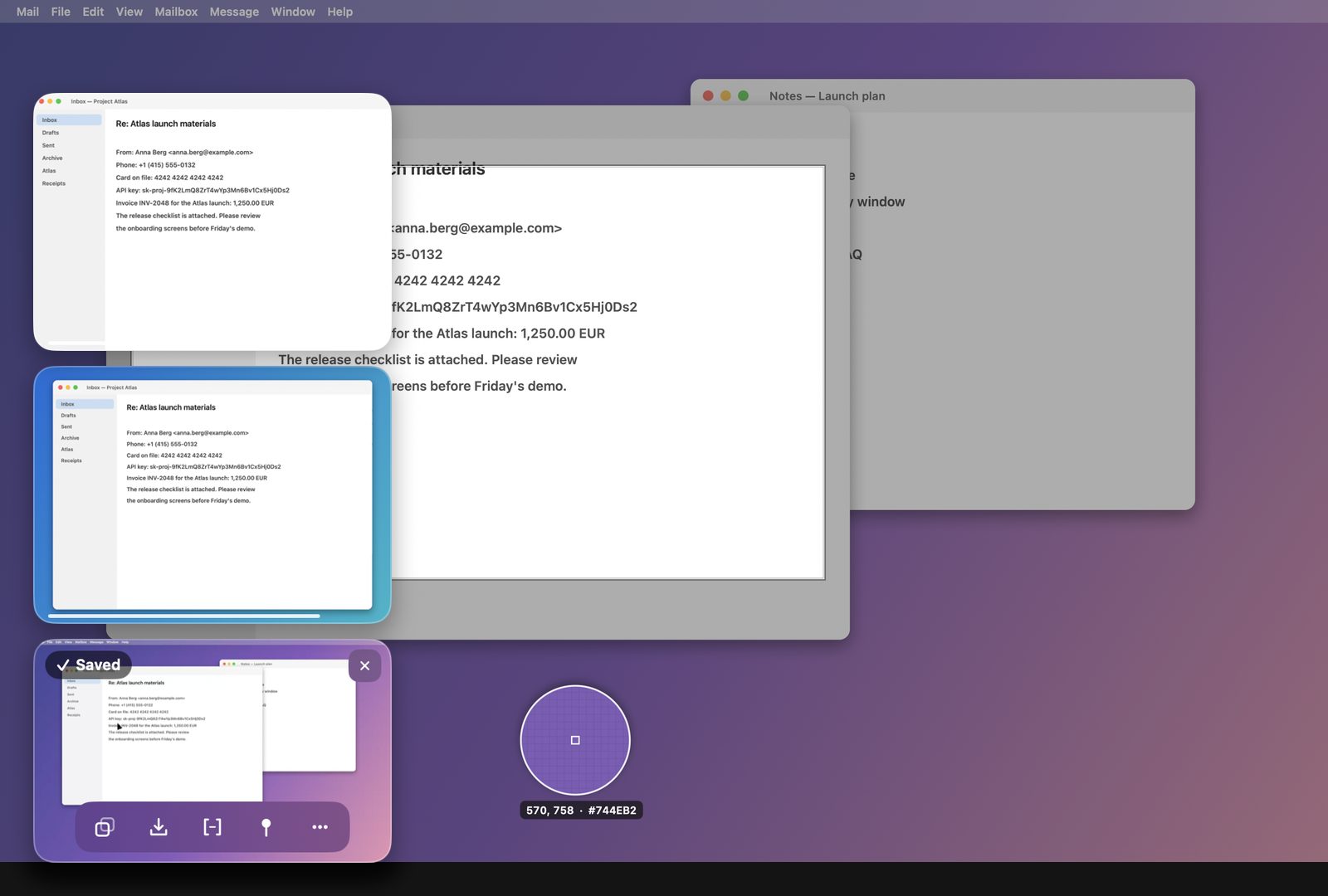
An area with a magnifier and the size as you drag, a window with or without its shadow, the whole screen, the previous area again, or after a few seconds. The screen freezes while you choose.
Capture anything on the screen, mark it up, hide what is private with one click, and find any capture later by the text on it. Everything happens on your Mac.
Download for Mac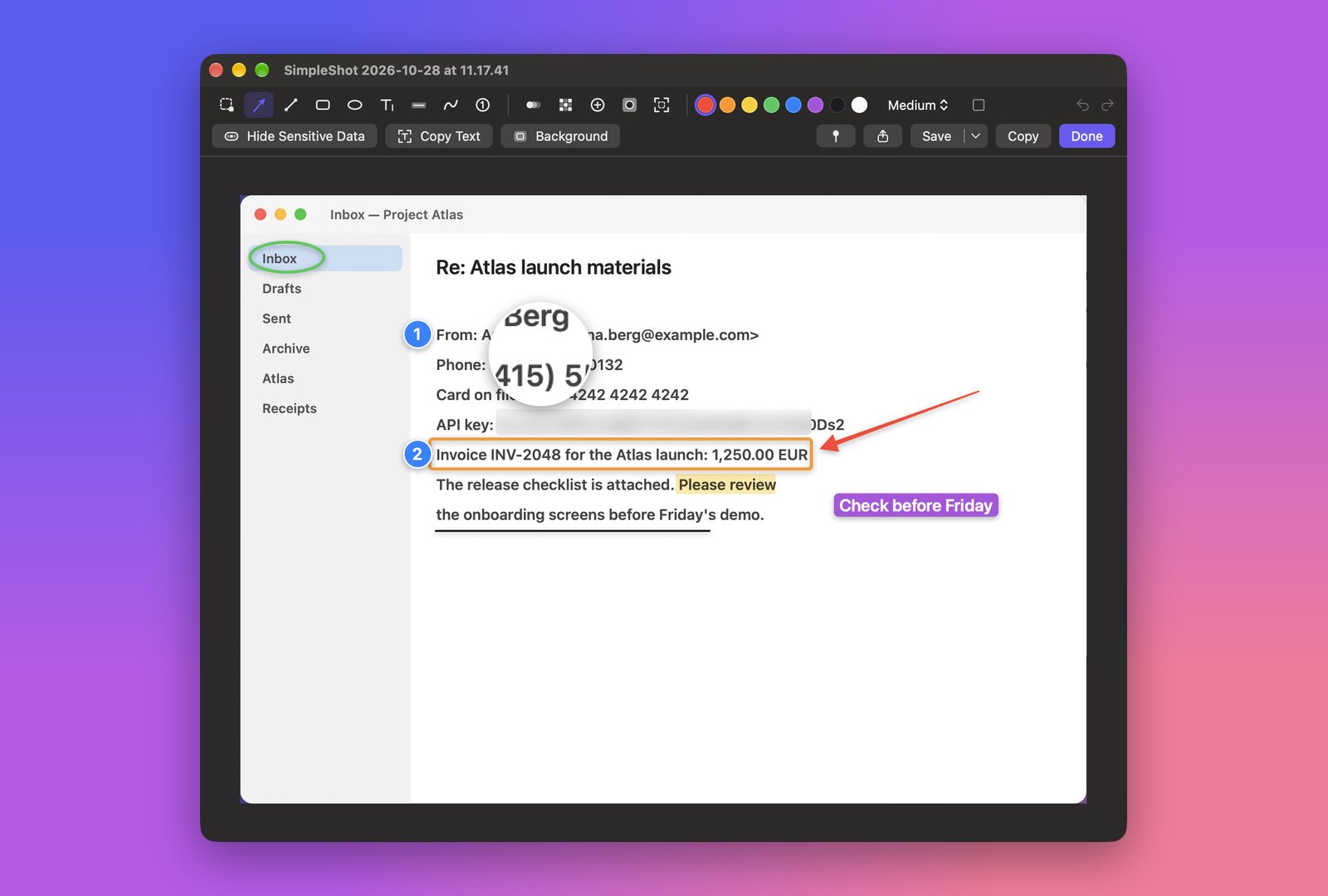
An area with a magnifier and the size as you drag, a window with or without its shadow, the whole screen, the previous area again, or after a few seconds. The screen freezes while you choose.
After each capture a thumbnail waits in the corner: copy, save, drag it straight into a message or a document, edit, or pin it. Several stack up.
Arrows, lines, boxes, text, a highlighter, numbered steps, blur, pixelate, a magnifier and a spotlight. Crop, then save as PNG, JPEG, HEIC or PDF.
Put a capture on a background with padding, rounded corners and a shadow, at the size a post or a story needs.
Scrolling capture joins a long page, a chat or a list into one tall image while you scroll, or while SimpleShot scrolls for you.
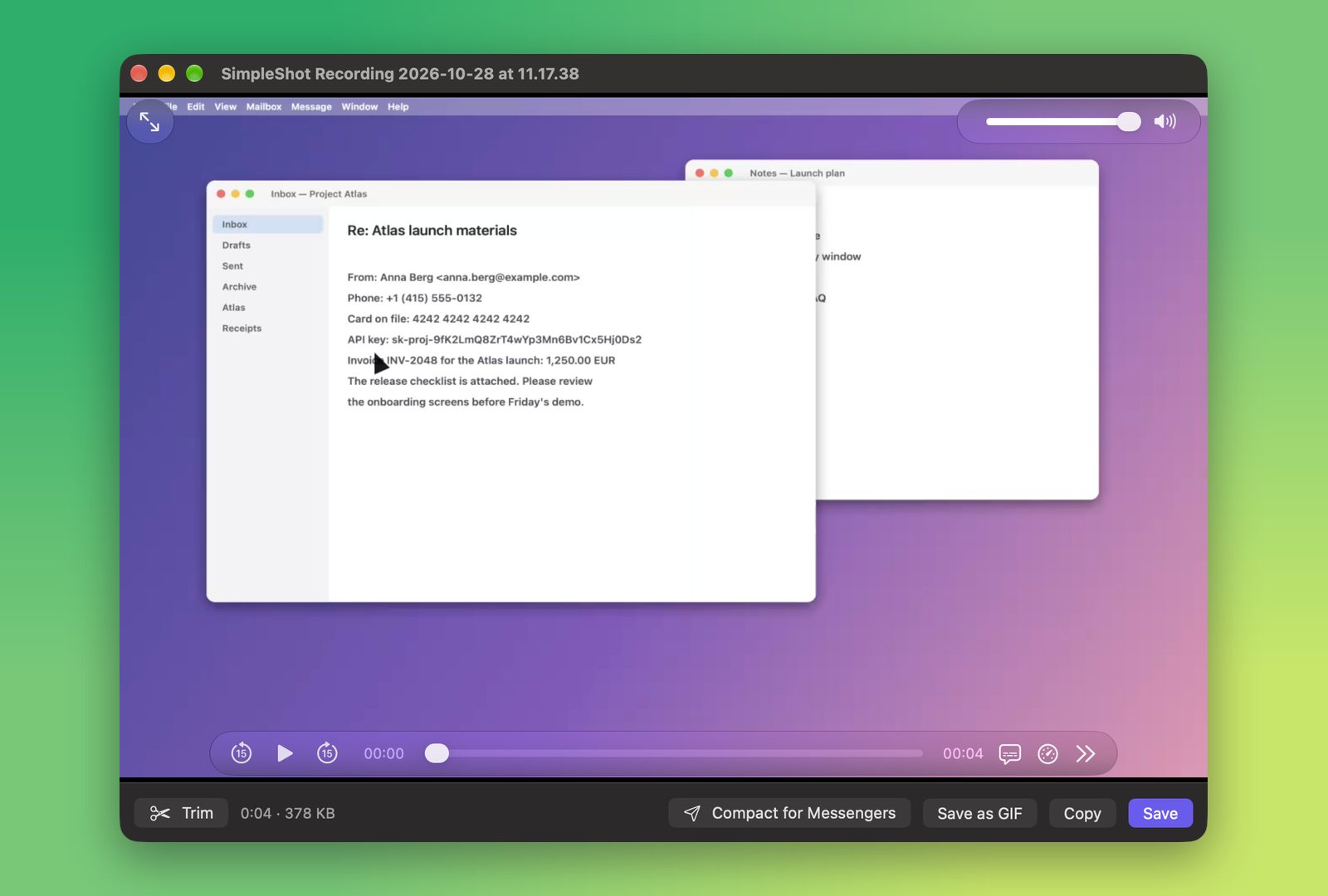
Video or a GIF of an area, a window or the screen, with the computer's sound and your microphone, clicks and keystrokes. Trim it in place.
Select any part of the screen and its text is on the clipboard, even from a picture or a video. QR codes too.
Keep a capture above every window while you work: move it, resize it, make it see-through or let clicks pass through.
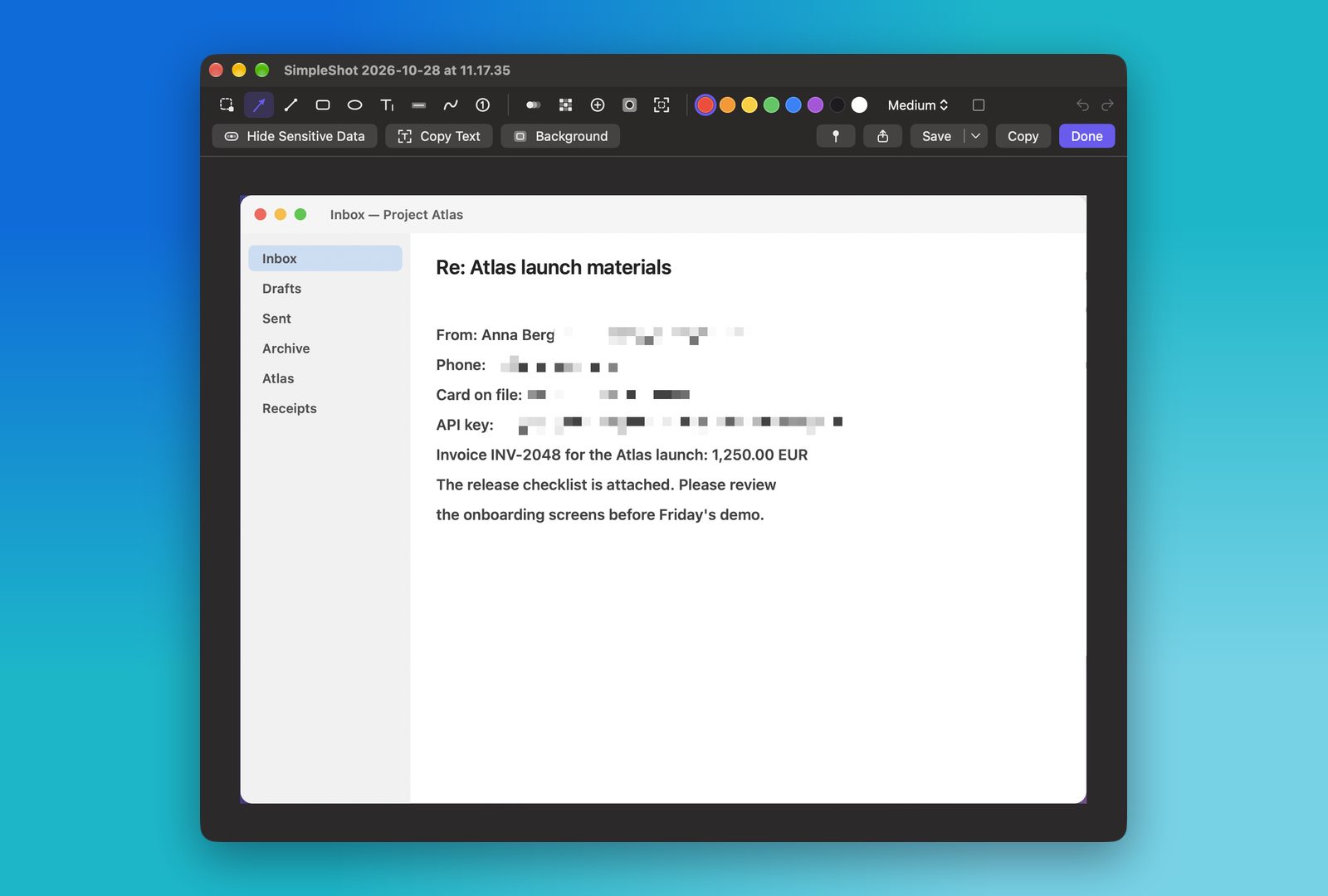
SimpleShot reads the capture on your Mac and pixelates e-mail addresses, phone numbers, card numbers, IBANs, API keys and passwords. Undo any of it in the editor, or turn it on for every capture.
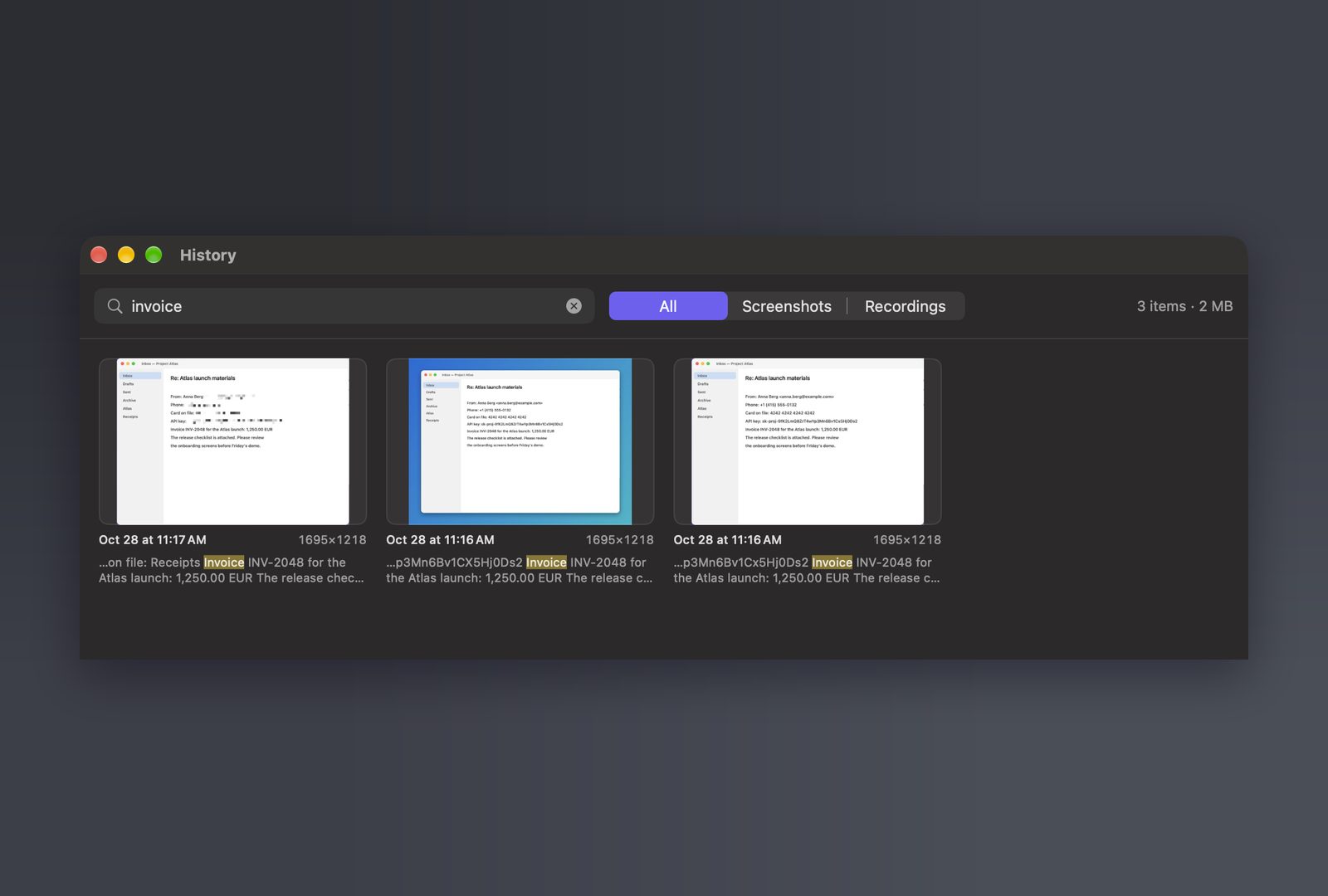
Every capture in your history is searchable by the text that was on it. Type a fragment of an invoice number, an error or a name, and it is there as you type.
One button makes a copy of a recording under 15 MB that plays in every messenger and mail app, at the best quality that fits.
No account, no subscription to keep it working, no paying again for the next version. SimpleShot updates itself.
SimpleShot looks at the screen only when you take a capture or record. Text recognition and the search run on your Mac. Your captures and your history stay on your Mac: SimpleShot has no account, no cloud and no tracking. The internet is used only to check for updates.
Yes. Every feature is free, and updates are included.
No. Captures, recordings and the history stay on your Mac. Text recognition and hiding sensitive data run on your Mac too.
Screen Recording, which macOS asks for on the first capture. The microphone only if you record it, and Accessibility only to show keystrokes in a recording or to scroll automatically.
Macs with Apple Silicon running macOS 26 or later.
The system's screenshot keys plus Option: ⌥⇧⌘4 for an area, ⌥⇧⌘3 for the screen, ⌥⇧⌘5 for all the options, ⌥⇧⌘6 for a window, ⌥⇧⌘T to copy text and ⌥⇧⌘R to record. Change any of them in Settings.
SimpleShot adds an editor, scrolling capture, GIF recording, text recognition, one-click hiding of private data, pinned captures and a history you can search by the text on your captures.